
How to Invite New Users
Breezell provides a personal invitation link that you can share with new users. When eligible invited users complete registration and accept your invitation, their progress can count toward unlocking Entanglement and Teams.
Before you begin
Make sure you have a Breezell account and are signed in on the official website.
Open the website and profile menu
- Open the official Breezell website: https://breezell.com.
- Sign in to your Breezell account if needed.
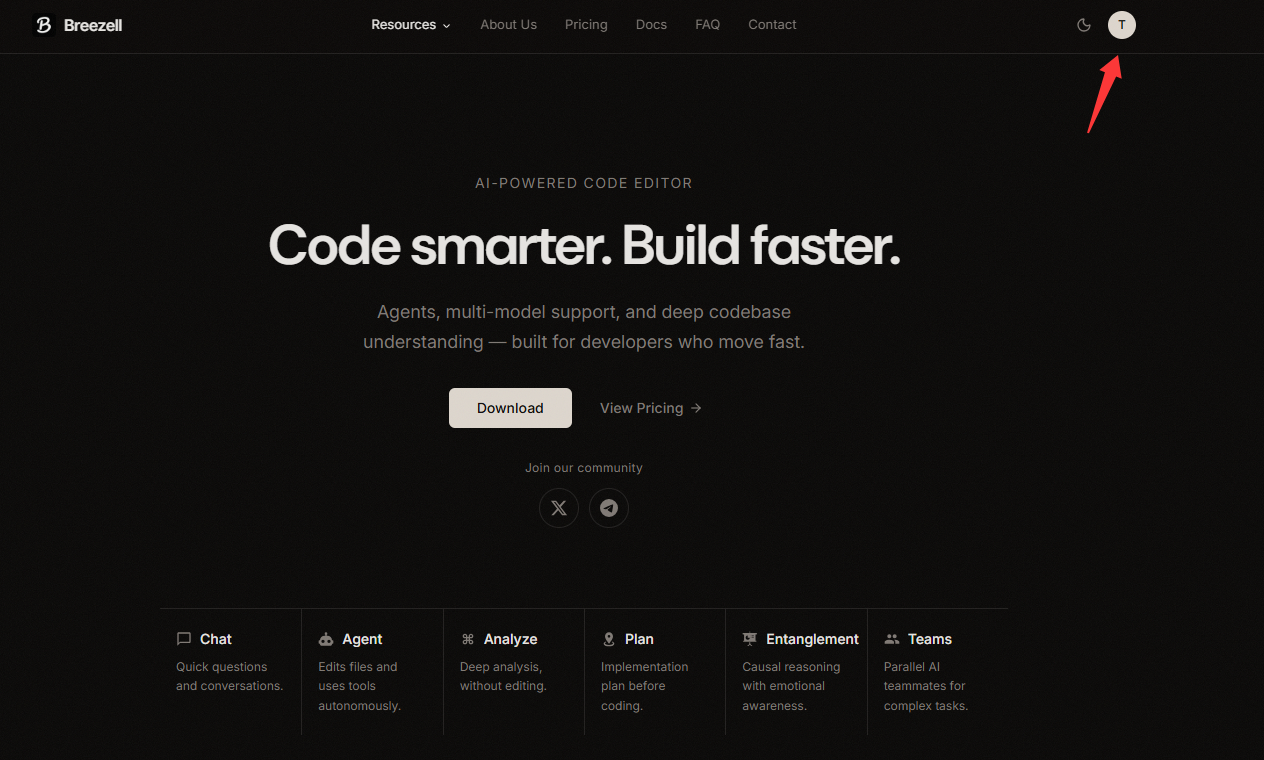
- Click your profile avatar in the top-right corner.
Open your Profile page
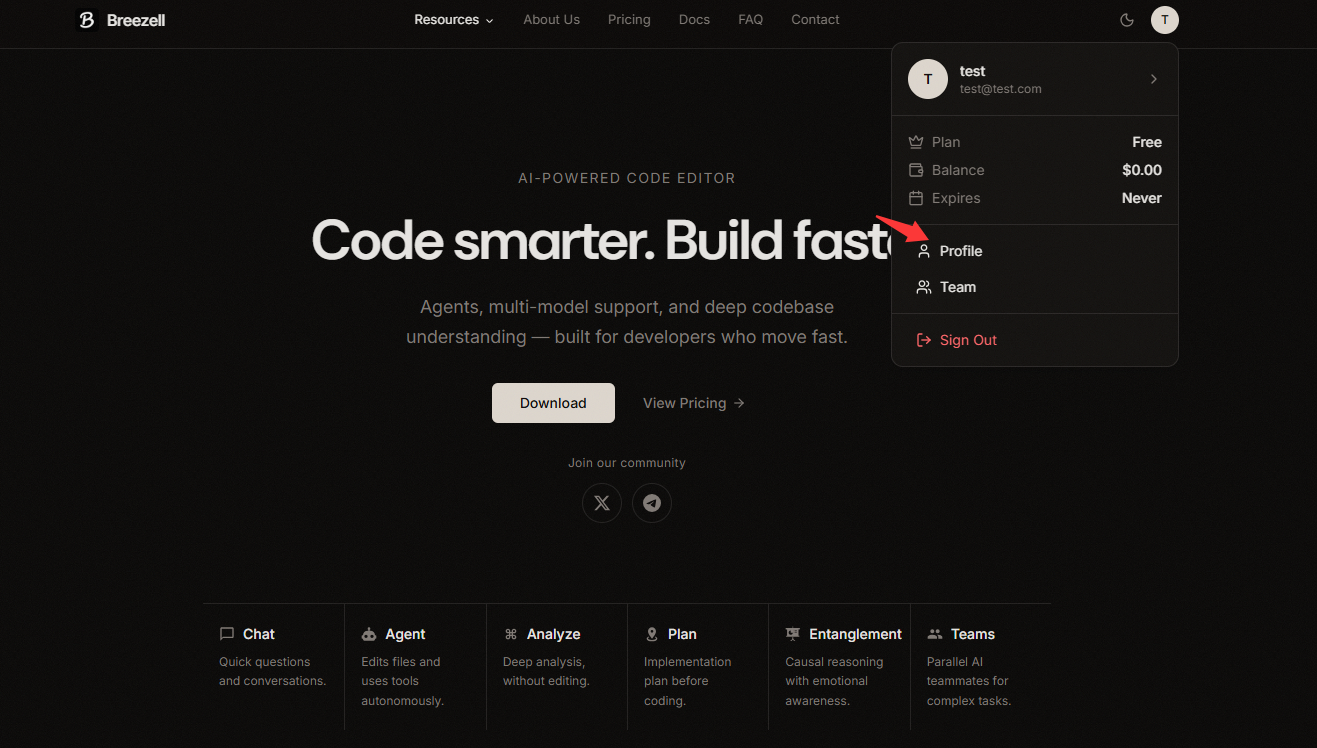
- In the account menu, find Profile.
- Click Profile to open your profile page.
Generate an invitation link
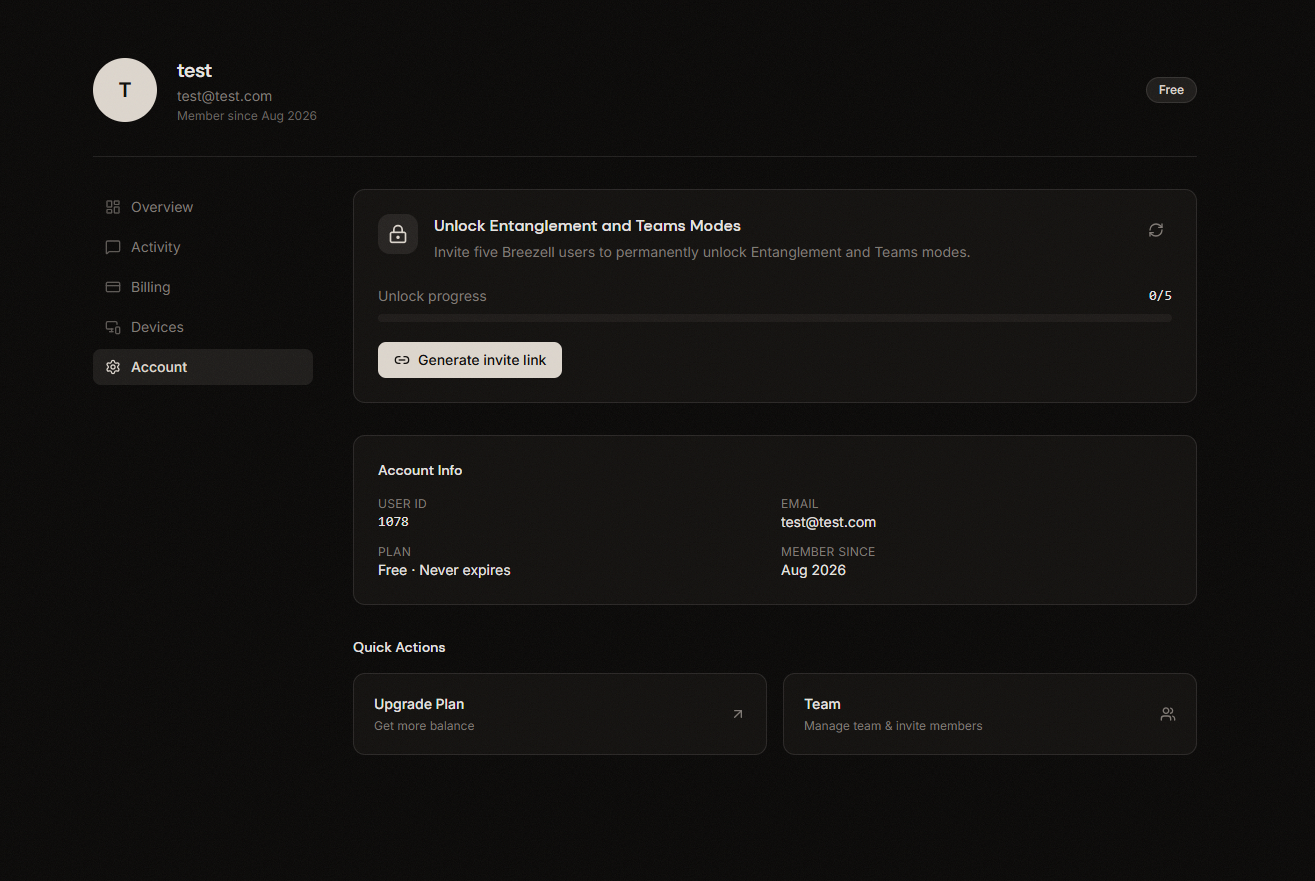
- On the Profile page, select Account in the left sidebar.
- Find the Unlock Entanglement and Teams Modes section.
- Click Generate invite link.
TIP
If Breezell temporarily cannot read your unlock status, sign out of your account and sign in again. Then return to the Account page and check the status.
Send the invitation to a friend
After the link is generated, Breezell provides a message similar to this:
Can you help me unlock this? I'm waiting in the Breezell editor.
https://breezell.com/mode-invite/entanglement?token=YOUR_INVITE_TOKENThe token above is only a placeholder. Copy the complete message and link generated by your own account, then send them to your friend.
Your friend can open the link, register or sign in, and accept the invitation. Eligible new users count toward your unlock progress after completing the required registration flow.
Why this is necessary
We are sorry that this adjustment may create an unpleasant experience. Breezell needs ongoing funding to cover infrastructure, maintenance, and continued development.
Thank you for supporting the project and helping Breezell operate reliably over the long term.