Custom Model Vision
Give a custom text model image-recognition support through a separate vision-capable model.
Before you begin
If your custom model does not support multimodal input, Breezell 1.2.8 lets it obtain image-recognition support through another model. Configure the vision-capable model first, then assign it to the custom model that needs image understanding.
Open the Models settings
- In the editor's top-right toolbar, click the settings gear.
- In the menu, select Breezell Settings.
- In the settings sidebar, select Models.
If you have not configured the custom model yet, complete the Custom API setup first.
Open Vision Proxy settings
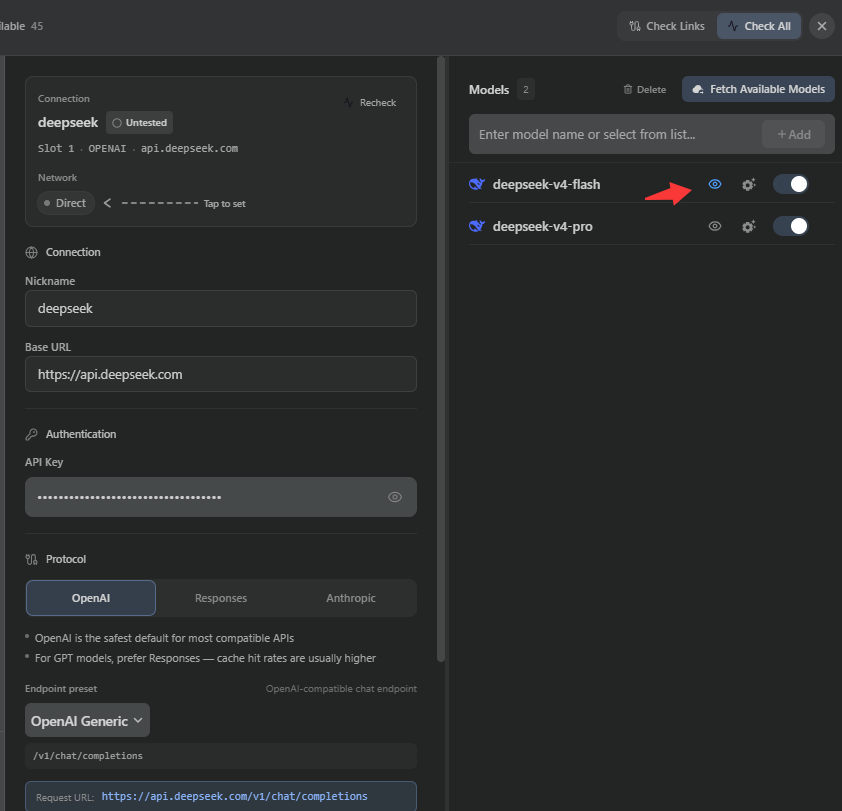
- Find the custom model that needs image recognition in the model list.
- Click the small eye icon on that model to open Vision Proxy.
Choose an image-recognition model
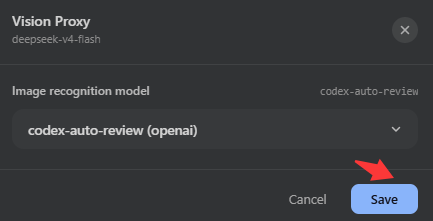
- In the Vision Proxy dialog, open the Image recognition model selector.
- Select a configured model that supports image recognition.
- Click Save to apply the selection.
Start a conversation
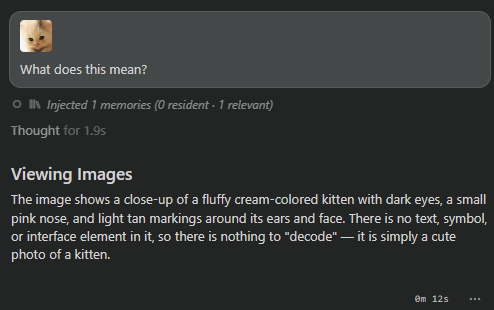
Select the custom model in a conversation, attach an image, and send your message. Breezell uses the selected image-recognition model to help the custom model handle the image.