
Prompt & Skill Settings
Prompt & Skill Settings provides one place to manage the instructions, reusable knowledge, and workflows that Breezell can use.
Open Prompt & Skill Settings
The arrow highlights the Rules, Memories & Skills button in the upper-right toolbar. It is immediately to the right of the New Chat (+) button.
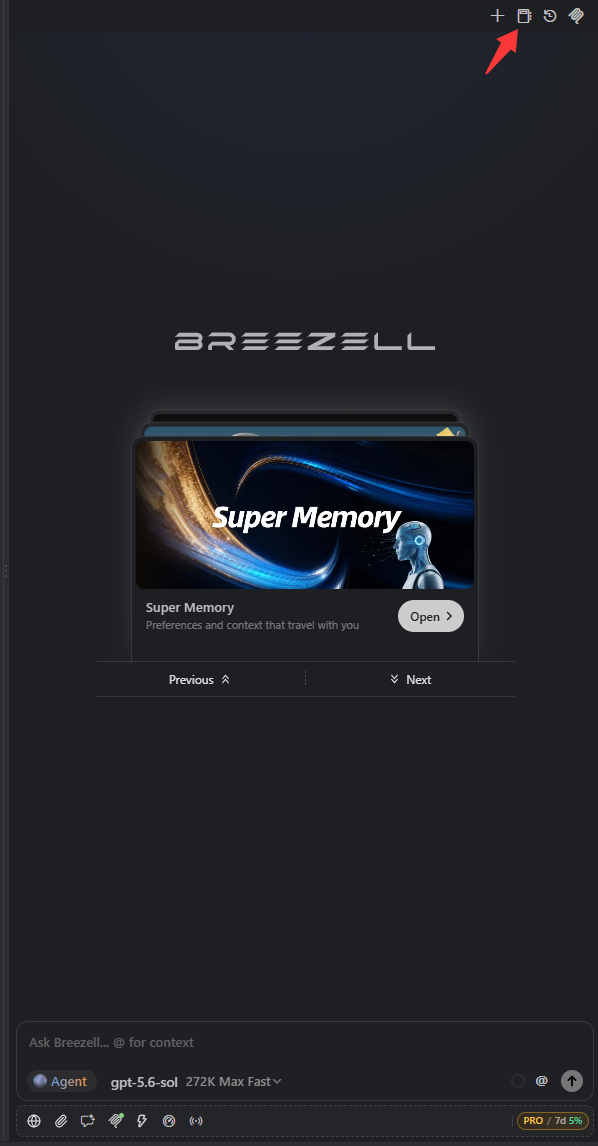
Click the button to open the settings panel.
Workspace and global scopes
The sidebar separates configuration into two scopes:
- Workspace: Applies only to the current project. Workspace files are stored inside the project's .breezell directory, so the configuration can travel with that workspace.
- Global: Applies across all workspaces. Use this for preferences and workflows that should be available in every project.
Choose the scope first, then select Rules, Memories, Skills, or Commit. The badge beside the page title confirms the active scope.
Rules
Rules are custom AI instructions that Breezell should follow while working in the selected scope. Use them for coding conventions, required tools, response formats, project constraints, or other persistent guidance.
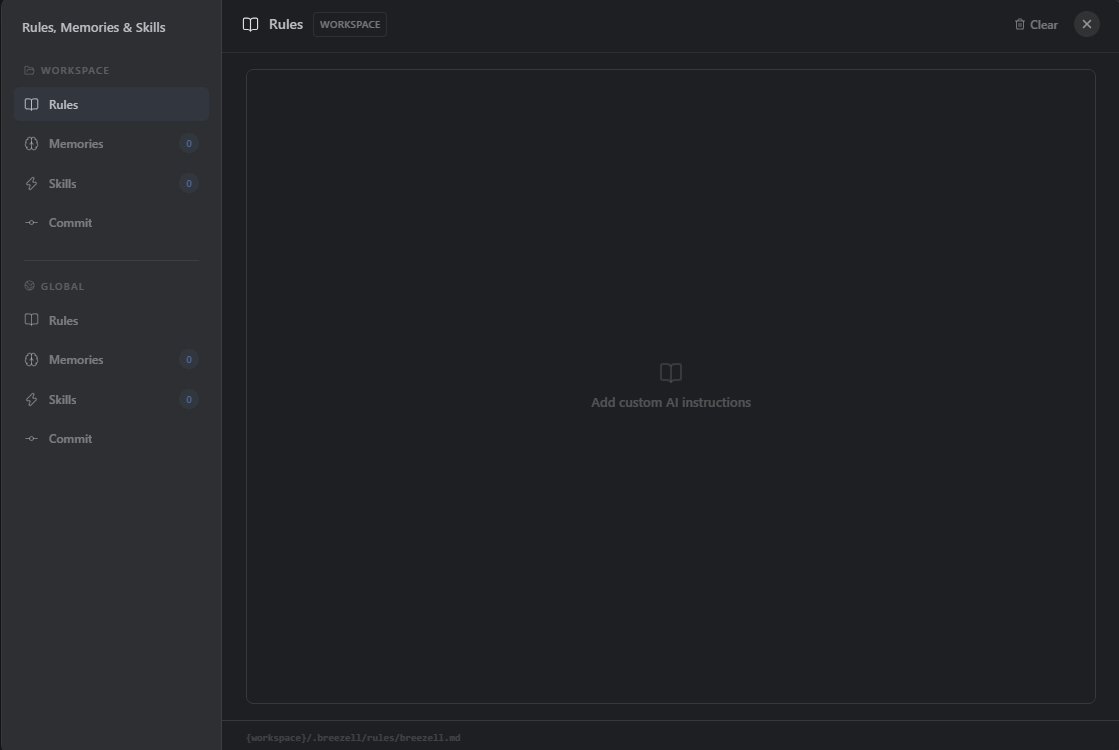
In workspace scope, the rule file is stored at {workspace}/.breezell/rules/breezell.md. Write specific, non-conflicting instructions. The Clear action removes the content in the active Rules scope.
Memories
Memories store facts, preferences, decisions, and project context that should remain available for later conversations. The number beside Memories shows how many entries exist in that scope.
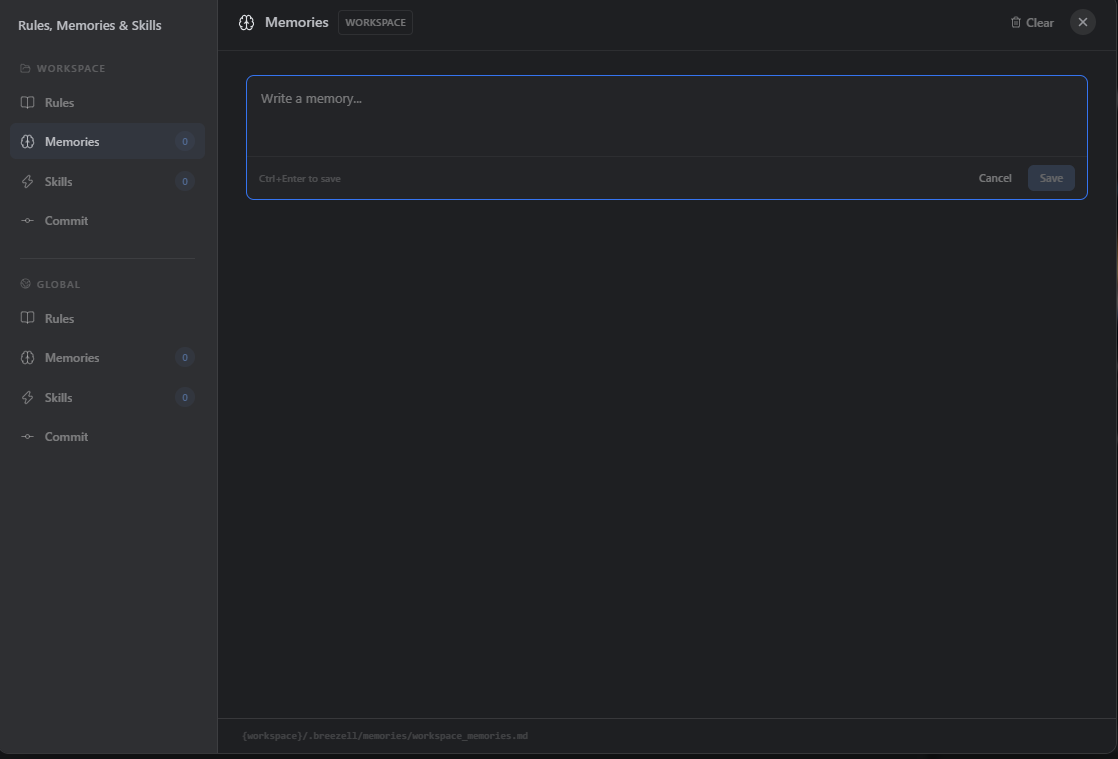
Enter one clear memory at a time, then select Save or press Ctrl+Enter. Workspace memories are stored at {workspace}/.breezell/memories/workspace_memories.md. Use global memories only for information that should apply across projects.
Skills
Skills are reusable instruction packages that teach Breezell how to perform a specific task or workflow. Open Skills under the required scope to create or manage them.
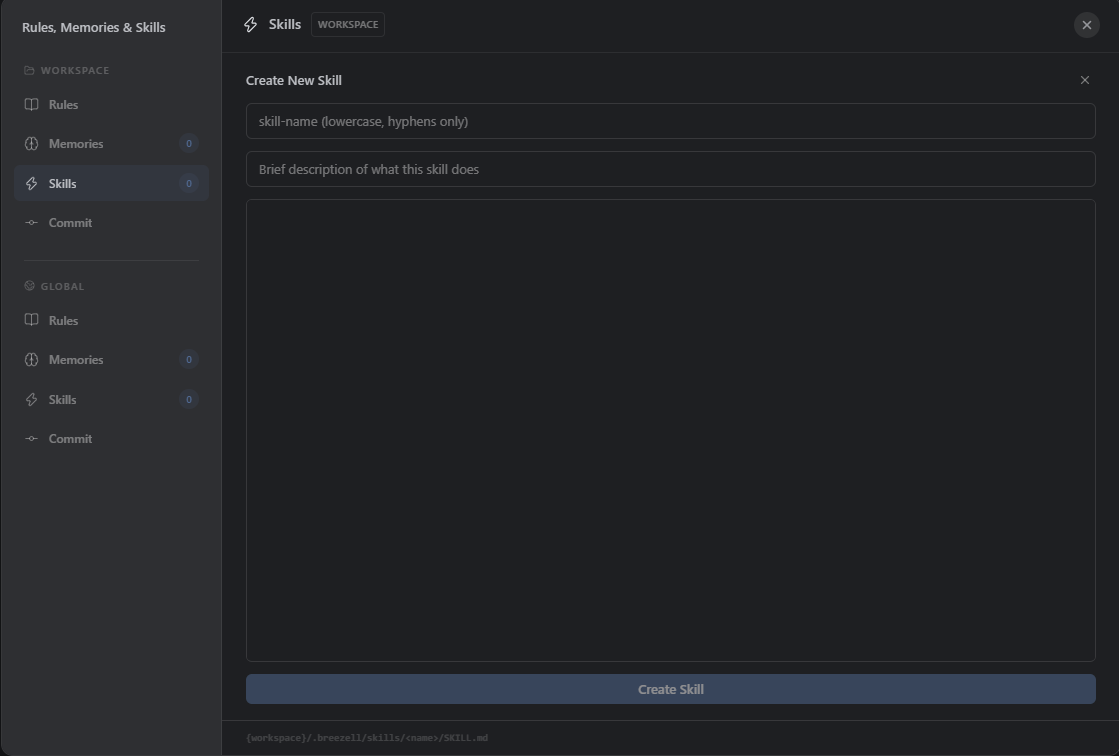
To create a skill:
- Enter a unique skill name using lowercase letters and hyphens only.
- Add a brief description that clearly states when and what the skill is for.
- Write the skill instructions, workflow, constraints, and expected output in the main editor.
- Select Create Skill.
A workspace skill is stored at {workspace}/.breezell/skills/<name>/SKILL.md. Keep each skill focused on one repeatable responsibility so Breezell can select and apply it reliably.
Commit message
Commit lets you customize the prompt Breezell uses to generate Git commit messages.
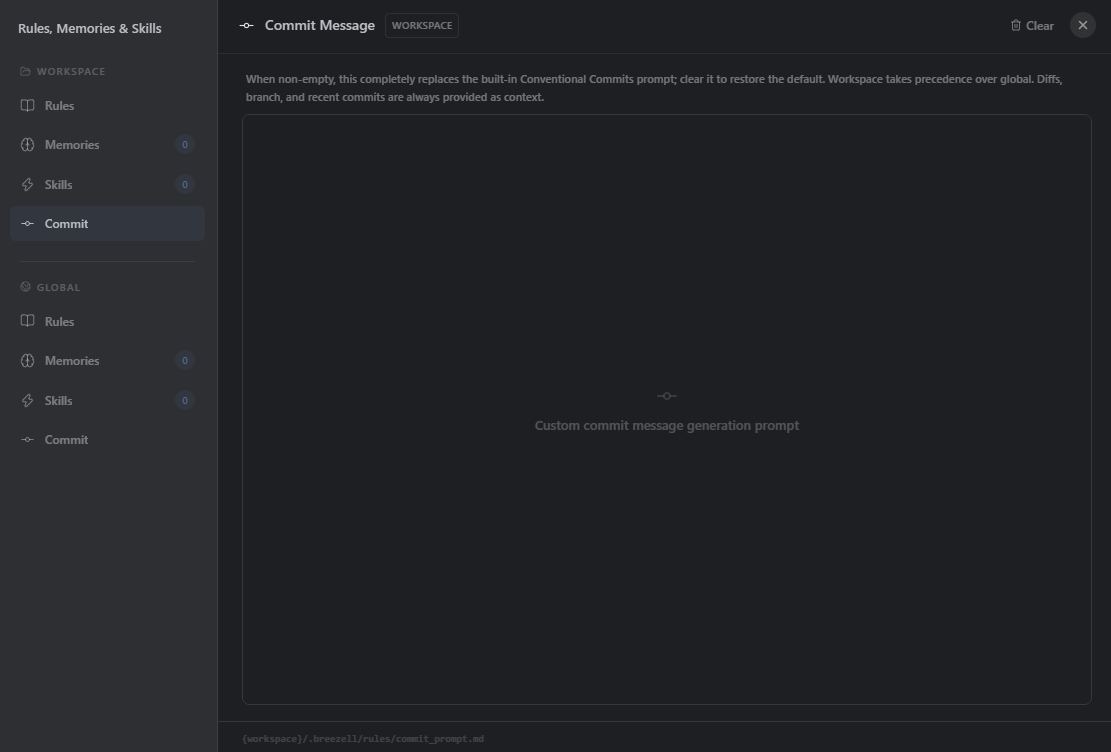
- Custom prompt: When this editor contains text, it completely replaces Breezell's built-in Conventional Commits prompt.
- Scope priority: A Workspace commit prompt takes precedence over the Global prompt. Use Workspace for repository-specific conventions and Global for defaults shared across projects.
- Automatic context: Breezell still supplies the current diff, branch, and recent commits to the model, so the custom prompt only needs to describe the required style, language, format, and constraints.
- Restore the default: Select Clear to remove the custom content and restore the built-in prompt.
The Workspace commit prompt is stored at {workspace}/.breezell/rules/commit_prompt.md.